Free Image to Prompt Generator

Upload a reference image and get a draft you can copy, edit, and use right away.

Upload, drag & drop, or paste an image
Supports PNG, JPG, JPEG, WEBP up to 10MB
Prompt Style
Default
Structured Prompt
Graphic Design
JSON
Prompt output language

Turn one image into working text

Turn product photos, social posts, and campaign references into editable AI prompts

Start with a visual direction your audience already understands. Use this image to prompt workflow to extract composition, lighting, product context, thumbnail space, and brand mood before rewriting it for your next generation.

Etsy and Shopify readySocial creative friendlyEditable output
Reference image in, channel-ready prompt out

Local workflows

When image to prompt AI is useful

Use it when a reference image already has the visual logic you need, but your next asset must fit a different product, channel, or campaign.

01

You want to adapt an Etsy or Shopify product look

Pull out material, props, lighting, background density, and lifestyle context before swapping in your own product.

02

You need a faster first draft for social creative

Start with the framing, color, and hook from an Instagram, Pinterest, or ad reference instead of rebuilding every visual choice from scratch.

03

You are moving from image to AI prompt for another model

Use image to prompt output as editable text so you or your teammates can adapt it for Midjourney, Flux, Stable Diffusion, or any other workflow.

04

You need a shared brief for a content team

Turn a visual reference into wording that a designer, marketer, or founder can critique before generating the next batch.

What it extracts

What this image to prompt generator extracts

Before you trust an image to prompt draft, check whether it captured the parts that actually shape the image: subject, style, light, color, and framing.

1

Subject and action

Who or what is in frame, what they are doing, and which details are visually dominant.

2

Style and medium

Whether the image reads like product photography, cinematic stills, editorial portraiture, illustration, or stylized concept art.

3

Lighting and palette

The light source, shadow quality, warmth, contrast, and color direction that make the image feel specific.

4

Composition

Camera distance, angle, framing, focus behavior, and the relationship between foreground and background.

5

Usable constraints

A short negative prompt or limitation note so you know what still needs manual cleanup.

US and English-market playbook

What to keep when converting images into prompts for each channel

A product photo, a Pinterest pin, a YouTube thumbnail, and a LinkedIn ad do not need the same prompt. Use the channel first, then decide what visual information should survive.

Etsy / Shopify product photos

Useful reference images
Lifestyle product shots, clean hero images, UGC-style product photos, marketplace thumbnails
Keep in the prompt
Preserve material, scale, packaging, props, background cleanliness, lighting quality, and how the product is used.
Avoid copying
Do not copy another seller’s logo, packaging, exact product shape, or branded scene. Replace them with your own offer.
Instagram / Pinterest creative

Useful reference images
Moodboard pins, carousel covers, creator posts, outfit or decor references
Keep in the prompt
Preserve scroll-stopping color, subject hierarchy, crop, negative space, lifestyle mood, and reusable composition.
Avoid copying
Do not lift a creator’s face, original text overlay, brand marks, or distinctive campaign styling as-is.

YouTube thumbnail concepts

Useful reference images
Thumbnail references, tutorial covers, reaction frames, product-review hero images
Keep in the prompt
Preserve high contrast, face or object emphasis, title-safe space, emotion, and simple foreground-background separation.
Avoid copying
Do not create a busy poster prompt. Keep the prompt focused on one readable thumbnail idea.

LinkedIn / paid ad visuals

Useful reference images
B2B ad mockups, SaaS visuals, webinar banners, brand campaign images
Keep in the prompt
Preserve trust signals, restrained palette, clean layout, product context, and space for copy or UI overlays.
Avoid copying
Do not overuse hype, clutter, or consumer-social styling when the final asset needs to feel credible.

Examples

Image to prompt examples

See how image to prompt examples turn real preview images into reusable AI prompt drafts, then decide how much you want to keep, trim, or rewrite.

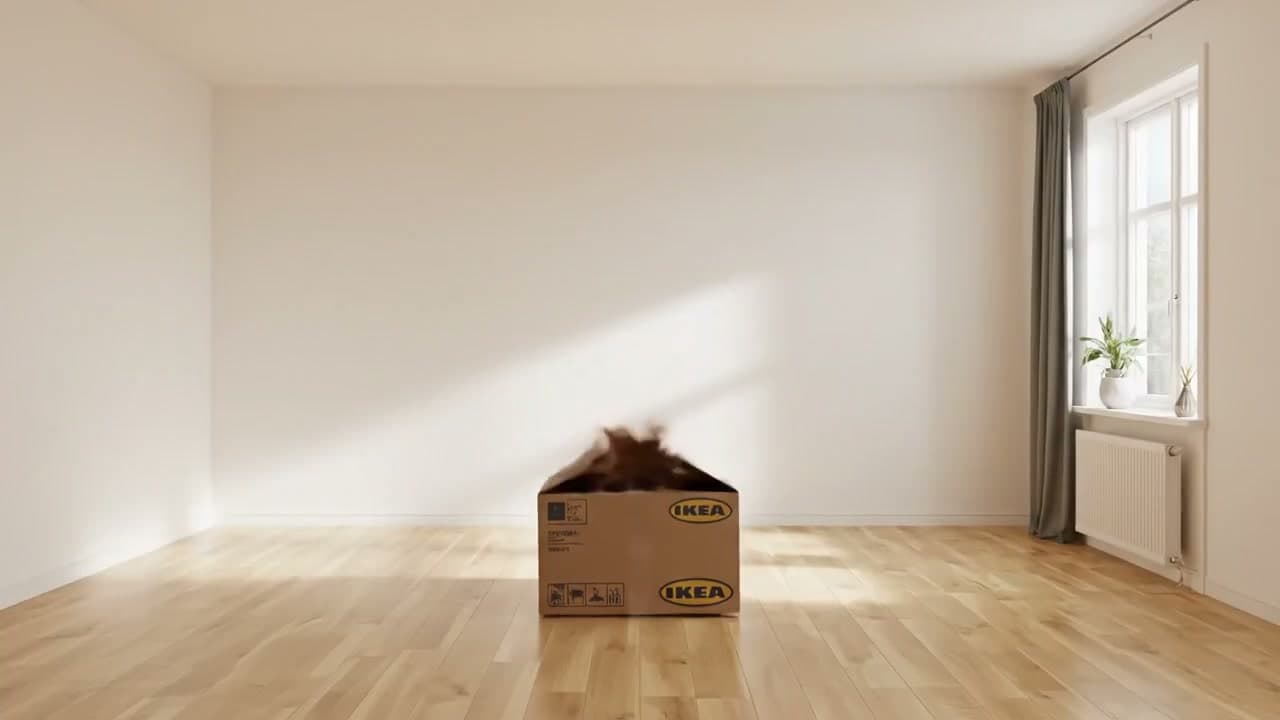
A cardboard IKEA box in a bright minimalist room with a blurred cat jumping out.
Input image

IKEA Box in a Minimalist Room

Bright Scandinavian-style room, photographed from a steady eye-level wide angle. Pale wood flooring, white walls, and a single open IKEA cardboard box create a quiet central composition. A fast brown cat-like blur bursts upward from the box, adding motion against the otherwise still space. Soft daylight enters from a curtained window on the right, stretching a diagonal beam across the wall and catching subtle reflections on the floor. Keep the palette warm, minimal, and domestic, with light woods, whites, soft grey fabric, and a small green plant near the radiator.

Signal it captured
Wide-angle room stagingSoft afternoon window lightWarm neutrals and wood tones
Best for
  • Lifestyle interiors
  • Product storyboards
  • Clean editorial scenes
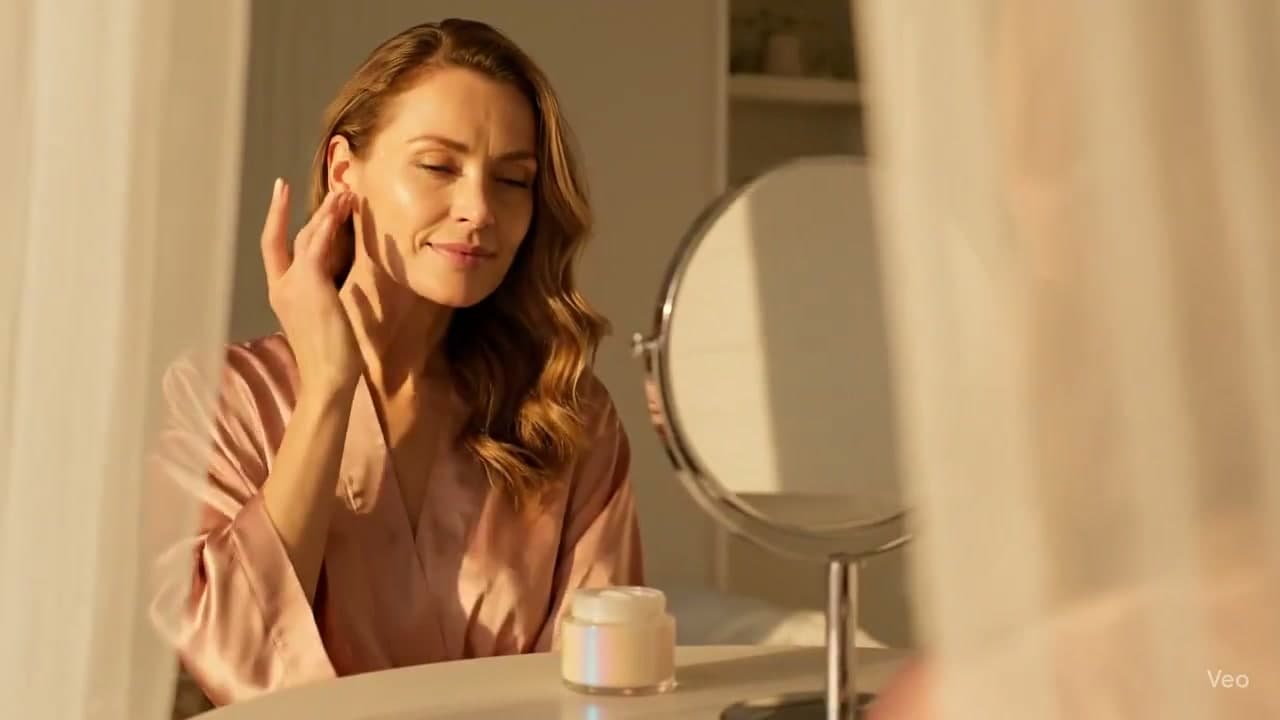
A woman in a pink satin robe at a vanity table during golden hour with skincare cream.
Input image

Golden Hour Skincare Vanity

Cinematic beauty campaign image at a white vanity table. A calm woman in a dusty pink satin robe pauses with closed eyes and fingertips near her cheek, her skin catching late-afternoon glow. A small cream jar and round silver-edged mirror sit in front of her as product anchors. Frame the scene through soft sheer curtains so the foreground feels veiled and intimate. Use golden-hour warmth, peach and rose highlights, gentle shadows, glossy skin detail, and a polished luxury skincare mood rather than a casual bathroom snapshot.

Signal it captured
Framed through sheer curtainsSoft peach and gold paletteLuxury beauty-ad aesthetic
Best for
  • Skincare ads
  • Vanity product shoots
  • Soft cinematic portraits
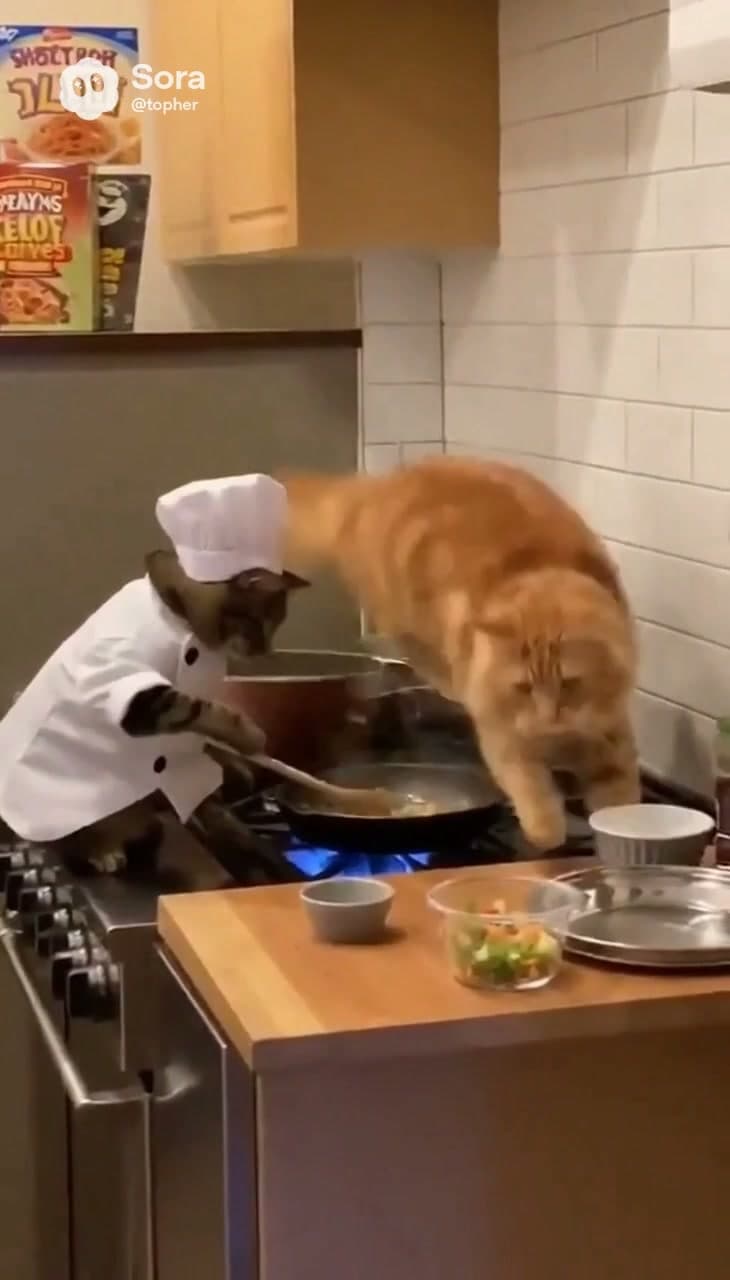
A chef cat cooking at a stove while another orange cat leaps over the kitchen.
Input image

Chef Cat Kitchen Chaos

Playful surreal kitchen action scene. A tabby cat in a tiny chef jacket and tall toque stands upright at a stainless gas range, stirring a pan over a vivid blue flame. Behind the cooking beat, a fluffy orange cat launches across the frame, frozen mid-leap above the stove for comic chaos. Include a warm wooden counter with prep bowls, white subway tile, pale cabinets, and cozy household lighting that shows fur texture and crisp chef fabric. The image should feel funny, energetic, and story-led, with orange and brown tones balanced by the blue flame accent.

Signal it captured
Character-driven action promptDomestic warm lightingHumorous mid-air motion beat
Best for
  • Meme-style images
  • Character concepts
  • Story-first prompt drafting

Fit and limits

Where image to prompt works well, and where it does not

After you see examples, set the right expectation: this image to prompt workflow is for visual direction and drafting, not exact prompt recovery.

Strong fit

  • Studying composition, lighting, and visual style from strong reference images.
  • Turning commercial, editorial, and character images into editable drafting prompts.
  • Creating a first-pass prompt before you fine-tune the wording for a specific model.

Weaker fit

  • Recovering the exact original prompt used by another creator.
  • Perfect identity matching for faces, logos, or highly specific copyrighted material.
  • One-click recreation of a reference image without any manual iteration.

Reuse the result

How to reuse the generated prompt

Copy the image to prompt draft, remove details you do not need, add model-specific wording when useful, and continue directly into image generation.

Tip 1

Upload a strong reference first. Clear subject hierarchy improves extraction quality.

Tip 2

Copy the full image to prompt result, then trim or rewrite it for your target model instead of treating it as final.

Tip 3

Use copy and generate when you want to move straight from image to prompt extraction into image generation.

FAQ

Image to prompt FAQ

Practical answers about accuracy, model fit, privacy expectations, and how to turn the output into a better prompt.

What does the image to prompt result include?

You receive a prompt draft and a compact visual readout. The draft describes the main subject, environment, style cues, camera feel, lighting, color direction, and any limits that may need manual cleanup.

How should I edit the generated prompt before using it?

Keep the visual cues that matter, then remove details that do not serve your next image. Add model-specific words only after the image to prompt draft already has the subject, mood, and composition you want.

Can image to prompt copy the exact prompt behind an image?

No. A final image does not contain the private wording, seed, model settings, or edits used to make it. This tool infers visible patterns and gives you a strong rewriteable starting point.

Which images usually produce the best prompt drafts?

Clear references work best: one obvious subject, readable lighting, a recognizable style, and enough detail to describe texture and composition. Busy collages, screenshots with tiny text, and near-identical face matching are harder.

Can I use the prompt in Midjourney, Flux, or Stable Diffusion?

Yes. The output is plain-language prompt text, so it can travel across tools. You may still want to add each model’s preferred parameters, aspect ratio wording, style tags, or negative prompt rules.

Do I need an account to test it?

You can try the image to prompt workflow with free daily usage. Signing in raises the daily allowance, and paid members can use the tool without the same daily limit.

What file types can I upload?

Use common web images such as JPG, PNG, JPEG, or WEBP. Very large files may be compressed before analysis so the result can return faster.