
AI Creative Workflow
AI tools for creative professionals: how to actually work faster in 2026
Most creatives adopt AI tools one by one and end up busier than before. The fix is a four-layer stack: brief, image, video, and distribution.
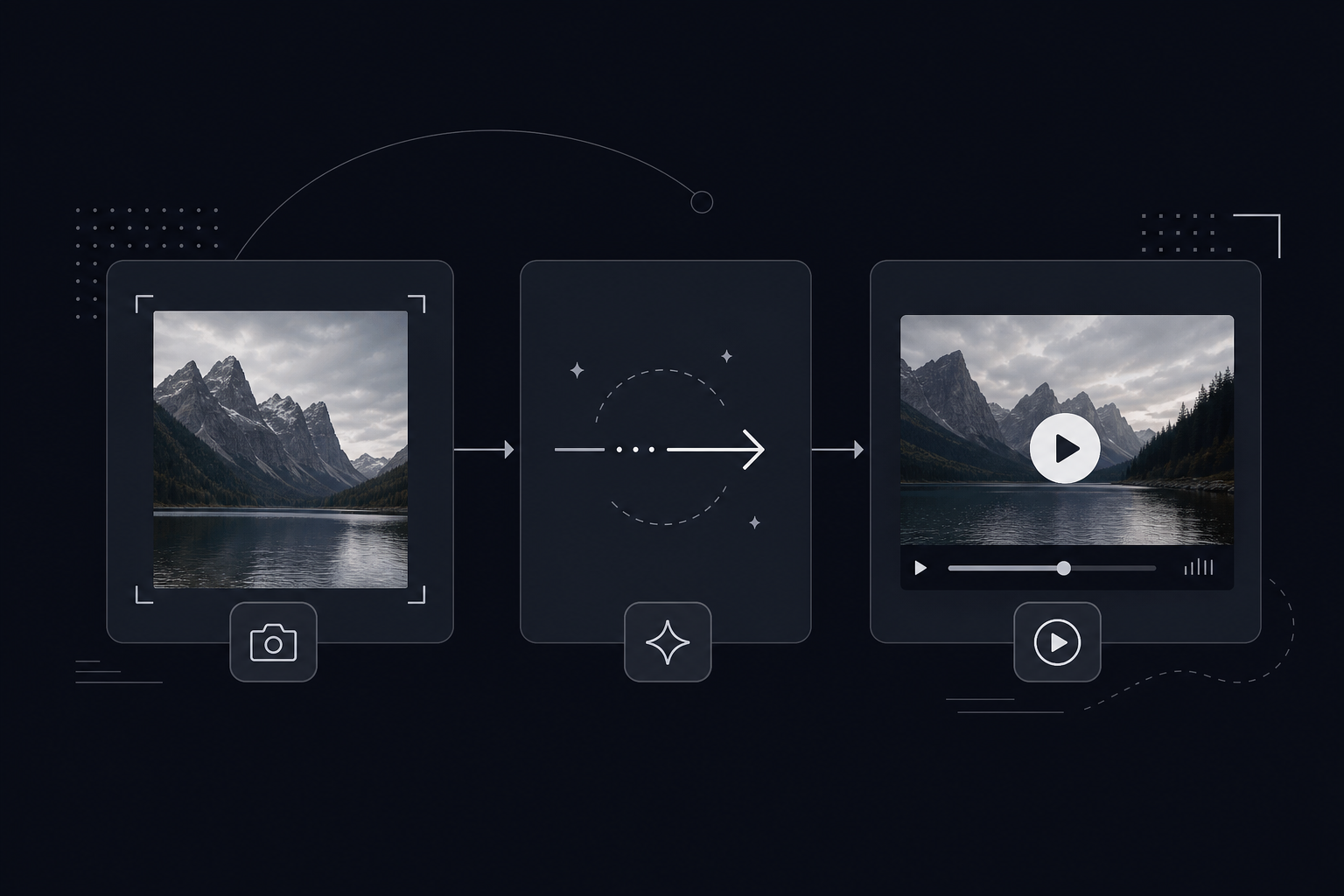
There is a pattern worth noticing among creative teams that feel overwhelmed by AI: they have added more tools, not more output. A new image generator here, a video tool there, a writing assistant somewhere else - and now they spend half their time managing logins, reformatting outputs, and figuring out which app is supposed to do what.
The teams actually shipping faster have a different mental model. They think in layers. Each stage of the creative process gets one, maybe two, tools, and the output of each layer feeds directly into the next. The result is not a pile of apps. It is a pipeline.
TL;DR
The AI creative stack that saves the most time is a four-layer flow: generate your brief and copy, generate images from that brief, animate the best images into short video clips, then design and distribute. The bottleneck most creative teams miss is layer three. They have strong static assets but no fast path to animate them. That gap is exactly what Image to Video AI was built to close.
Why adding more AI tools makes you slower
By 2026, the average creative professional has accounts with at least five AI platforms. Most of them are underused, because each requires context-switching, re-prompting from scratch, and output that does not cleanly connect to the next step in the workflow.
The mental model that breaks the logjam: think about what type of thing you are making at each stage, then pick the tool that is best at that one thing. Adobe Firefly has internalized this with their partner models program - connecting Runway, Kling AI 3.0, and OpenAI's GPT Image 2 into a single subscription, because their own research showed creatives were losing time to tool-switching rather than generating. The same logic applies to how you structure your own stack.
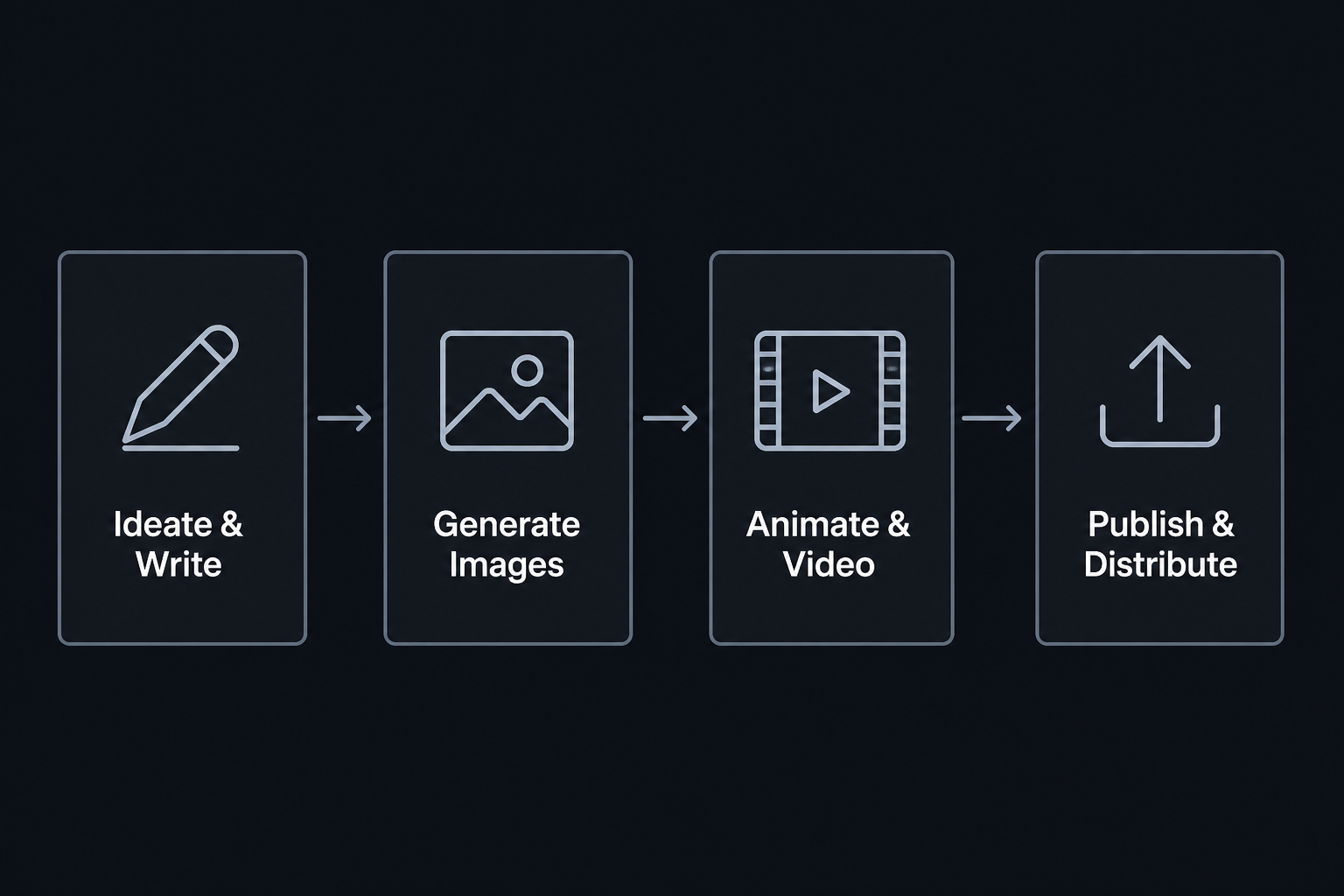
Layer 1: nail the brief with AI writing tools
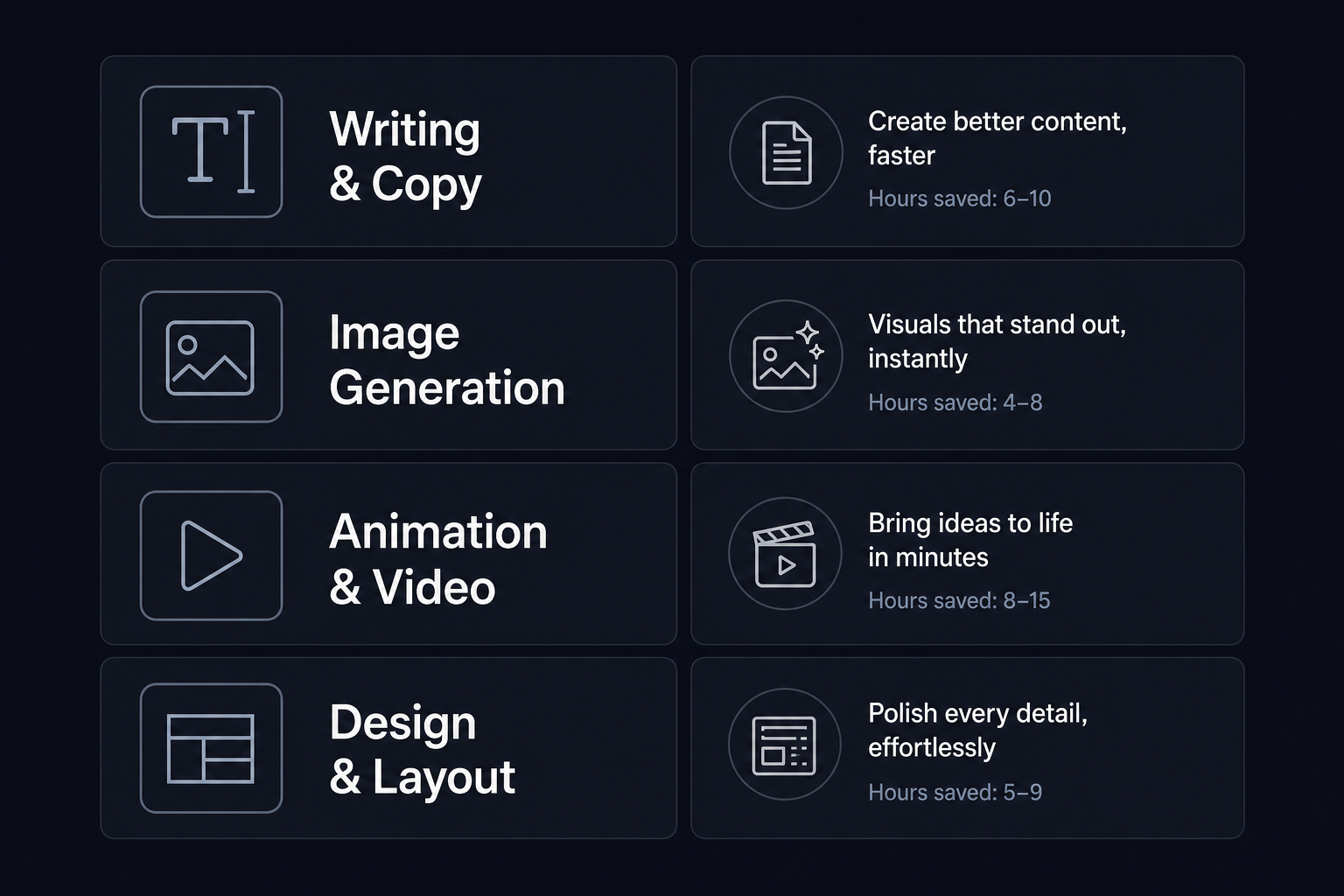
The most common place creative work goes wrong is at the very beginning: a brief that is vague, a concept that is half-formed, copy written in 20 minutes before a deadline. AI writing tools do not replace judgment here, but they compress the time between "raw idea" and "clear direction" substantially.
For marketing teams, Jasper has repositioned itself as an agent orchestration platform in 2026 rather than a content generator. Its Canvas workspace handles drafting and iteration; purpose-built agents run end-to-end workflows like SEO content pipelines and campaign ideation without manual handoffs.
Copy.ai goes further for go-to-market teams. Its 2,000+ integrations - Salesforce, HubSpot, Gong, Zapier - mean AI-drafted outreach lands directly in existing sales workflows without an export step. The customer data points Copy.ai publishes are unusually specific: Roman Olney at Lenovo reported "$16M in savings this year alone" from workflow automation, and Jean English, former CMO at Juniper Networks, cited "5x more meetings generated" with AI-assisted prospecting.
For a solo creator or small studio, the use case is simpler: spend 20 minutes generating three brief variations for a campaign, pick the one with the strongest angle, and feed that directly to your image generator. The brief becomes the first link in the chain - and a good brief is worth more than a great prompt for getting usable image output.
Layer 2: generate the images
Once you have a brief, image generation is where the pipeline really opens up. A strong brief cuts down the number of generations you need before hitting something usable.
Adobe Firefly Standard at $9.99/month gives 2,000 monthly credits across Adobe's models. Firefly Pro at $19.99/month adds 4,000 credits and unlocks partner model access, including GPT Image 2, Kling AI 3.0, and Runway. The commercial safety angle matters for client work: Firefly's models are trained without user content, which gives IP-conscious clients cleaner grounds.
Midjourney remains the aesthetic quality benchmark for editorial and conceptual imagery. Its Discord-based interface is an acquired taste, but for concept art, campaign imagery, and anything where visual craft is the primary variable, it is difficult to beat on output quality.
For creative teams that will be animating their images in the next step, Image to Video AI includes access to GPT-Image-2, Seedream 4.5, Nano Banana, and Grok Imagine 1 on all paid plans. Running image generation inside the same platform where you animate removes the export-import step entirely. The image goes straight from generation into the video workflow.
| Tool | Starting price | Best for | Key differentiator |
|---|---|---|---|
| Adobe Firefly | $9.99/month | Creative Cloud users | Multi-model hub, commercially safe training data |
| Midjourney | Subscription tier | Aesthetic quality, editorial illustration | Consistently top-rated output quality |
| Image to Video AI | Free / $10/mo annual | Product images destined for animation | Combined image + video pipeline in one platform |
| DALL-E 3 via API | $30/1M output tokens | Custom integrations, developer workflows | API-first, strong prompt adherence |
Layer 3: animate your images into video
This is the layer where most creative teams have a gap. They have a strong product photo, a compelling campaign illustration, a polished AI-generated image - and no fast path from that asset to a short video clip that works on Instagram Reels, TikTok, or a product page.
Traditional paths required handing the image to a motion designer, who would spend hours animating in After Effects or Premiere Pro. For recurring content - weekly social posts, product refreshes, seasonal campaigns - that bottleneck accumulates quickly.
Image to Video AI is built specifically for this step. Upload a source image, write a short motion prompt describing what you want to happen, and choose one of three generation workflows:
- Text/Image to Video - the core workflow. Upload a product shot or AI-generated image, describe the motion, and get a short video. Best for e-commerce clips, animated posters, and social content.
- Frames to Video - give the model a start frame and an end frame; it fills in the motion between them. Useful for product reveals, before-and-after transitions, and packaging sequences.
- Reference to Video - use an additional image, video clip, or audio as a style and direction reference. Useful for maintaining consistent character appearance or product look across a series of variations.
The primary generation model is Seedance 2.0, priced at 50 credits per video. Credits are issued upfront at the start of each subscription period. There is no monthly refill wait.
Pricing: what each plan covers
| Plan | Monthly | Annual | Credits/year | Videos/year | Commercial use |
|---|---|---|---|---|---|
| Lite 300 | $15/mo | $120 ($10/mo equivalent) | 3,600 | ~360 | Yes |
| Pro 800 | $29/mo | $180 ($15/mo equivalent) | 9,600 | ~960 | Yes |
| Pro 2,000 | $59/mo | $588 ($49/mo equivalent) | 24,000 | ~2,400 | Yes |
| Pro 3,000 | $89/mo | $828 ($69/mo equivalent) | 36,000 | ~3,600 | Yes |
| Ultra 5,000 | $139/mo | $1,308 ($109/mo equivalent) | 60,000 | ~6,000 | Yes |
| Ultra 10,000 | $219/mo | $2,028 ($169/mo equivalent) | 120,000 | ~12,000 | Yes |
| Ultra 20,000 | $399/mo | $3,828 ($319/mo equivalent) | 240,000 | ~24,000 | Yes |
Annual billing saves significantly across all plans. Failed jobs do not consume credits. All plans include watermark-free downloads, private visibility controls, and commercial workflow support, which matters when you are generating assets for clients or brand campaigns.
At the Pro 800 plan's capacity of around 960 videos per year, roughly 80 per month, a social media manager producing weekly campaign content for a handful of clients can run the full motion-content workflow without hitting the ceiling, at $15/month on an annual plan. That is roughly $0.016 per video at that volume.
The alternatives worth knowing: Runway is the most established standalone AI video platform with mature text-to-video and editing capabilities. Kling AI 3.0 offers advanced generation with support for 19+ languages, which matters for international campaigns. Both are available as partner models inside Adobe Firefly for teams already in that ecosystem.
Layer 4: design and distribute
After video assets are generated, they still need to reach the right channels: formatted correctly, branded, with accompanying copy. This is where design tools with AI close the loop.
Canva AI 2.0 has moved well past template-based design. Its conversation-to-creation workflow lets you describe what you want and iterate from there. Magic Layers turns a static image into an editable structured layout. Magic Resize reformats any design instantly for different channels - the Instagram Story version, the LinkedIn post, the email header, all from one source file. For teams that do not have a dedicated designer on every project, this is where a lot of time gets recovered.
Adobe Express covers similar ground and is bundled with Firefly Pro plans and above, making it a natural add-on for teams already using Firefly for image and video generation.
What a real AI-assisted workflow looks like
Before an AI stack, a typical "product launch content" sequence might look like: briefing session, copywriting, sourcing and editing photography, handing off to a motion designer for video clips, designing channel-specific assets in Photoshop or Figma, and review cycles on top of all of that.
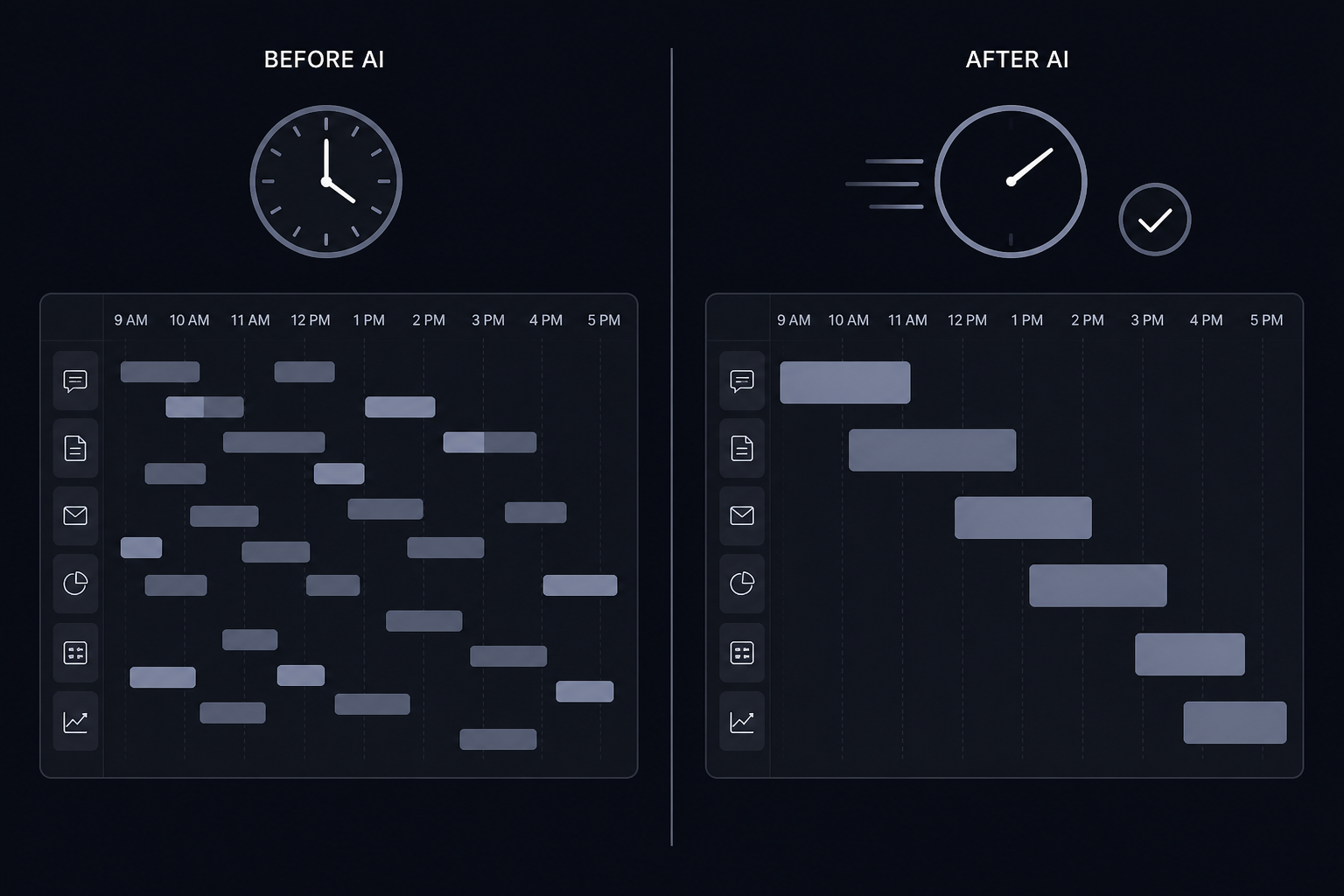
With an AI stack in place: brief generation takes 20 to 30 minutes with a writing tool. Image generation produces 10 to 20 candidate visuals in under an hour. The best images go directly into the video tool - no handoff, no wait. Final design and channel formatting in Canva AI adds another hour. The entire sequence from concept to finished assets compresses to a full day for a solo creator, or a focused morning for a small team running parallel workstreams.
The constraint shifts from "how long will this take" to "how many iterations do we have time to review." That is a better constraint to have.
Three mistakes that slow creatives down
Using one tool for everything. Several platforms try to be the all-in-one AI creative suite. Most are mediocre at three things rather than excellent at one. The pipeline approach - best image tool for images, best video tool for video - beats the generalist approach in both quality and speed. The tools that have earned dedicated audiences did so by going deep on one problem.
Generating without a brief. The fastest path to irrelevant AI output is typing something vague and hoping the model figures out what you wanted. A two-sentence brief describing what the image needs to communicate and who will see it constrains generation in useful directions. Five minutes writing the brief saves 20 minutes iterating on outputs.
Treating AI output as the finished product. The most productive use of AI generation is producing strong starting points, not final assets. A 30-second product video from Image to Video AI is a starting point. You review it, select the best version, and export the clip you want. Creative judgment stays with the person; generation work is delegated to the model. When teams skip the review step because "it came from AI so it is probably fine," quality drops and trust in the output erodes.
Try Image to Video AI
Image to Video AI handles the layer of the creative workflow where most teams are slowest: getting from a great still image to a usable short video clip. Three generation workflows, six supported AI models including GPT-Image-2 and Seedream 4.5, watermark-free export and commercial use support on all paid plans.
Plans start at $10/month on annual billing. The Lite 300 plan covers around 360 videos per year - enough for steady social content output. Pro plans scale up to 3,600 videos per year, and Ultra plans handle high-volume teams generating tens of thousands of clips annually.
Frequently Asked Questions
What AI tools do creative professionals use most in 2026?+
The most widely adopted AI tools for creatives span four categories: image generation, video generation, design, and writing. Productive creative teams usually combine one tool per stage rather than trying to use one platform for everything.
Is there a free AI tool for image-to-video generation?+
Image to Video AI offers a free tier with 20 credits on sign-in plus daily check-in rewards, so you can preview and experiment with image-to-video generation at no cost.
How much time do AI tools actually save creative professionals?+
Results vary by workflow, but the biggest gain often comes from the image-to-video step. Work that previously required a motion designer and hours in After Effects can now be tested in minutes.
Do I need to pay for AI video generation?+
Most AI video generators require a paid plan for watermark-free downloads and commercial use. Image to Video AI paid plans start at $10/month on annual billing and include commercial workflow support.
What's the best AI tool for animating product photos?+
Image to Video AI is built specifically for this. Upload a product photo, describe the motion you want, and generate a short video clip with workflows for single-image animation, frame transitions, and reference-guided video.